
Manage AI Prompts
Directly from your Menu Bar.
Stop reinventing your best prompts. Organize, share, and deploy your most effective AI workflows across your entire team—instantly from your Mac.
Instant Menu Bar Access
Keep your workflow uninterrupted. SkillSync AI sits quietly in your macOS menu bar, ready to deploy your precise prompt templates with a single click. No need to open a separate browser tab or disrupt your train of thought.

Global Library & Public Sharing
Not only can you manage your personal prompt templates, but SkillSync AI empowers you to leverage a global community and share instantly within your own organization. Discover, test, and incorporate publicly shared prompts, or distribute approved templates to your team to completely eliminate reinventing the wheel and maximize your LLM output quality across your entire company.
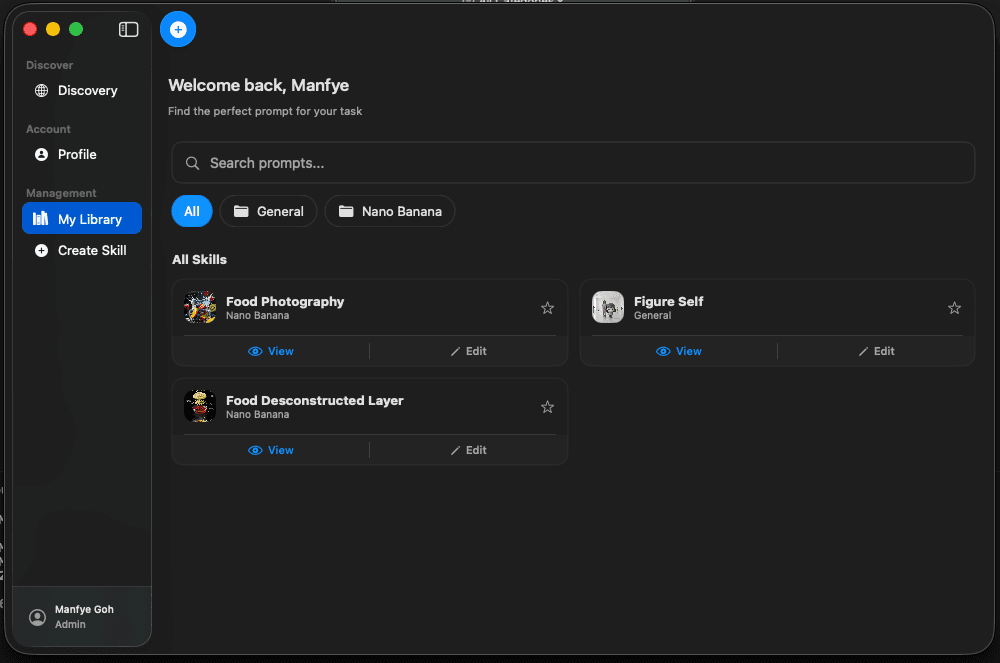
Instant Menu Bar Access
No context switching. Click the menu bar icon or use a global shortcut to pop up your entire prompt library instantly.
One-Click Copy
Find the prompt you need and copy the raw template with placeholders to your clipboard in a single click.
Categories & Tags
Standardize your prompts. Organize templates by department or custom categories to ensure your team always uses the most effective version of any prompt.
Global Search
Instantly filter through hundreds of prompts by searching titles, descriptions, and tags with our lightning-fast search bar.
Dynamic Variables
Build powerful templates using `{variable}` syntax. Easily compose prompts that require complex inputs, dropdowns, and files.
Cloud Synchronised
Scale your expertise. Sync prompt templates across your entire organization, allowing team members to leverage proven workflows without reinventing the wheel.